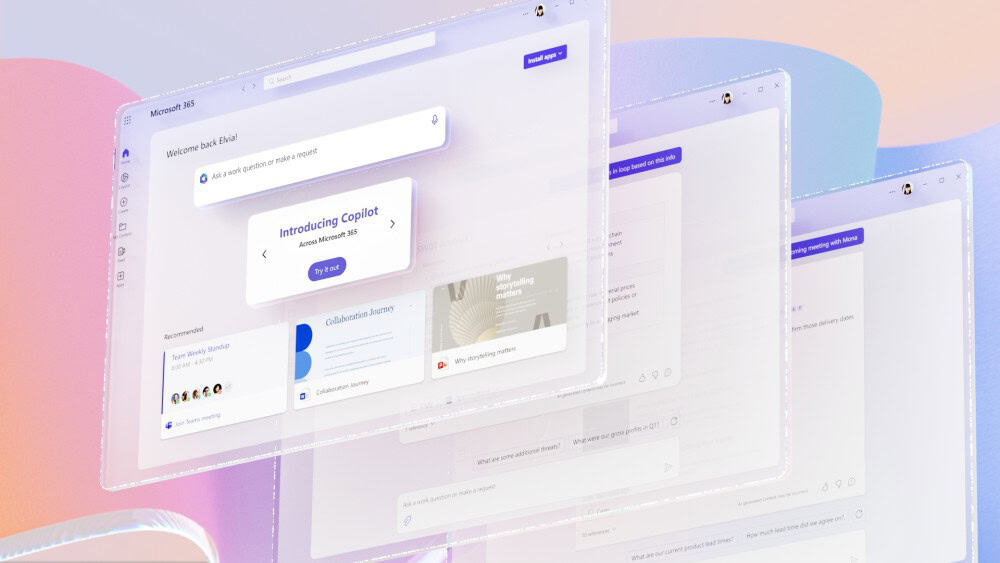
Microsoft Copilot is changing the way organisations use Microsoft 365, enabling employees to draft documents, analyse data, summarise meetings and automate everyday tasks using artificial intelligence. While the technology can deliver significant productivity gains, successful Microsoft Copilot readiness involves much more than purchasing licences and enabling AI.
Preparing your organisation properly before a Copilot deployment helps maximise value while reducing security, compliance and operational risks. From reviewing permissions to improving data quality and establishing Copilot governance, every stage plays a role in ensuring Microsoft 365 AI adoption delivers measurable business outcomes. This guide explains the key steps every organisation should take before introducing Microsoft Copilot.
What Does Microsoft Copilot Readiness Mean?
Microsoft Copilot readiness is the process of preparing your organisation’s technology, information, security and employees before deploying AI across Microsoft 365.
Unlike many standalone AI applications, Microsoft Copilot works within your existing Microsoft 365 environment using Microsoft Graph to securely connect information from applications including Outlook, Teams, SharePoint, OneDrive, Word, Excel and PowerPoint. Rather than searching the internet for answers, Copilot uses the information your employees already have permission to access.
This makes Microsoft Copilot incredibly powerful, but it also means any weaknesses that already exist within your Microsoft 365 environment become more visible. Poor document management, excessive permissions, outdated content and inconsistent governance can all affect the quality of Copilot’s responses.
Successful Microsoft Copilot readiness therefore focuses on creating an environment where AI can safely access high-quality information while remaining aligned with your organisation’s security and compliance requirements.
Assess Your Microsoft 365 Environment
Before beginning a Copilot deployment, it is important to understand whether your Microsoft 365 environment is ready to support AI.
Many organisations have adopted Microsoft 365 over several years, resulting in a mixture of legacy storage locations, inconsistent collaboration practices and varying levels of cloud adoption. Copilot performs best when organisations are making full use of Microsoft 365 services such as SharePoint, Teams, OneDrive and Exchange Online.
Your licensing should also be reviewed to ensure users have the appropriate Microsoft 365 subscriptions alongside Microsoft Copilot licences. Organisations should confirm that devices are properly managed through Microsoft Intune or Microsoft Entra ID and that employees can securely access Microsoft 365 regardless of where they work.
This stage is also an opportunity to identify older systems, local file servers or disconnected repositories that may reduce the effectiveness of Microsoft Copilot.
Clean Up Your Business Data Before Introducing AI
One of the biggest factors influencing Microsoft Copilot readiness is the quality of your business data.
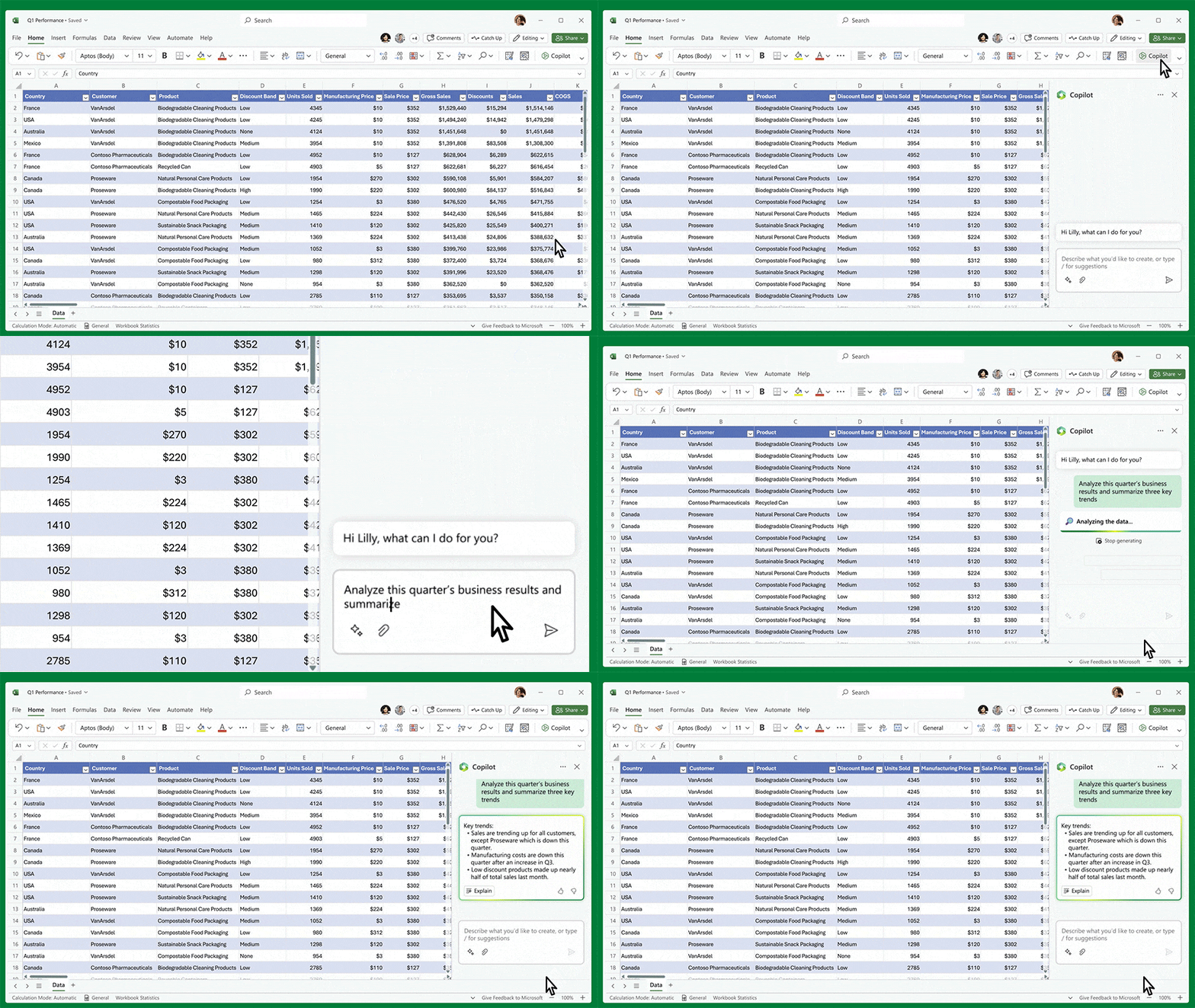
Artificial intelligence can only produce valuable responses if the information it accesses is accurate, relevant and well organised. If your Microsoft 365 environment contains duplicate documents, outdated procedures or abandoned project folders, Copilot may include this information when generating responses.
Many organisations accumulate years of redundant, obsolete and trivial (ROT) data that serves little business purpose. Removing unnecessary information before deployment improves search accuracy and reduces confusion for employees.
Document quality should also be reviewed. Consistent naming conventions, meaningful metadata, clear ownership and effective version control all help Copilot identify the most appropriate content when responding to user requests.
SharePoint deserves particular attention because it often becomes the primary repository for organisational knowledge. Sites should be logically organised, content should be archived where appropriate and ownership responsibilities should be clearly assigned. A well-structured SharePoint environment not only benefits employees today but significantly improves the quality of AI-generated responses in the future.
Reviewing Permissions And Security
Many organisations mistakenly assume Microsoft Copilot creates new security risks. In reality, Copilot simply makes existing permissions more accessible by allowing users to discover information through natural language.
If an employee already has permission to view confidential documents within SharePoint or OneDrive, Copilot may include information from those documents when responding to prompts. The issue is not Copilot itself, but overly permissive access rights.
For this reason, reviewing permissions should be a priority before deployment. Organisations should audit SharePoint sites, Microsoft Teams, OneDrive storage and shared mailboxes to ensure access is limited to those who genuinely require it. Legacy security groups, inherited permissions and broad “Everyone” access should be carefully reviewed and removed where appropriate.
Alongside permissions, organisations should consider implementing Microsoft Purview to strengthen information protection. Sensitivity labels, Data Loss Prevention policies, retention rules and information classification help ensure sensitive business information is appropriately protected while remaining accessible to authorised users.
By strengthening security before rollout, organisations can confidently embrace AI without increasing the risk of accidental information exposure.
Establish Copilot Governance Before Rollout
Technology alone does not determine the success of Microsoft Copilot readiness. Organisations also need clear governance that defines how AI should be used across the business.
Copilot governance establishes policies that help employees use AI responsibly while maintaining compliance with legal, regulatory and organisational requirements. Without governance, users may develop inconsistent prompting practices, rely too heavily on AI-generated content or inadvertently expose confidential information.
An effective governance framework should define acceptable use, clarify which information should never be entered into prompts, establish expectations for human review and explain when AI-generated content requires verification before publication or distribution.
Governance should also consider industry-specific regulations and internal compliance requirements. Financial services, healthcare, legal firms and public sector organisations, for example, may require additional controls over how AI-generated information is created, stored and shared.
Importantly, Copilot governance should not be owned solely by IT. Business leaders, compliance teams, HR, information security and operational departments all have a role in ensuring AI supports organisational objectives while managing risk effectively.
Identify High-Value Business Use Cases
Rather than enabling Copilot across the entire organisation immediately, many businesses achieve greater success by focusing on high-value use cases that demonstrate measurable benefits early in the deployment.
Some common examples include:
Finance
- Produce management reports more quickly
- Summarise financial data
- Assist with variance analysis
- Draft board papers
Sales
- Prepare customer meeting summaries
- Draft proposals and quotations
- Create follow-up emails
- Surface CRM insights
Operations
- Produce process documentation
- Summarise projects
- Create standard operating procedures
- Improve internal knowledge sharing
Human Resources
- Draft policies
- Prepare job descriptions
- Produce employee communications
- Summarise HR documentation
Delivering visible improvements in these areas builds confidence across the organisation and encourages wider Microsoft 365 AI adoption.
Prepare Employees for AI Adoption
Technology projects often succeed or fail based on user adoption, and Microsoft Copilot is no different.
Employees need to understand not only how Copilot works but also how to use it effectively. Good prompt writing, critical thinking and responsible AI usage all influence the quality of the results users receive.
Training should focus on practical business scenarios rather than simply demonstrating product features. Employees should learn how to write effective prompts, verify AI-generated content and understand when human judgement remains essential. Copilot is designed to assist employees rather than replace professional expertise, making it important that users continue to validate outputs before making business decisions.
Many organisations also benefit from establishing AI champions within individual departments. These users can share best practice, support colleagues and encourage consistent adoption across the business. Internal champions often become valuable sources of feedback that help organisations refine their AI strategy over time.
Measure Success Beyond Productivity
While productivity improvements are often the primary objective of a Copilot deployment, organisations should define success using a broader range of business outcomes.
Measuring the time saved when drafting documents, preparing presentations or summarising meetings provides useful evidence of efficiency gains, but organisations should also consider improvements in employee satisfaction, collaboration, knowledge sharing and decision-making.
Monitoring adoption rates helps identify whether employees are embracing the technology, while user feedback can highlight additional opportunities for optimisation and training. Reviewing these metrics regularly enables organisations to refine their AI strategy and continue improving the value delivered by Microsoft Copilot.
Microsoft Copilot readiness should therefore be viewed as an ongoing process rather than a one-time project, with continuous improvements helping organisations realise greater long-term returns.
Consider Working With A Microsoft Copilot Partner
Preparing for Microsoft Copilot requires expertise across Microsoft 365, cyber security, governance and change management. While organisations can undertake readiness activities independently, working with an experienced Microsoft partner often accelerates deployment while reducing risk.
Akita provides comprehensive Microsoft Copilot services that help organisations prepare for successful Microsoft 365 AI adoption. From assessing Microsoft 365 environments and reviewing security permissions through to establishing Copilot governance, supporting user adoption and planning phased deployments, Akita helps businesses build a secure foundation for AI.
Whether you are exploring Microsoft Copilot for the first time or preparing for a wider rollout, Akita’s Microsoft 365 Copilot consultants can guide every stage of your journey, ensuring your organisation gains maximum value from its investment while maintaining security and compliance.
Learn more about Akita’s Microsoft 365 Copilot services and how we support organisations throughout their Microsoft Copilot readiness journey.
Microsoft Copilot Readiness Checklist
Before beginning your Copilot deployment, make sure you can answer “yes” to the following:
- Microsoft 365 licences have been reviewed.
- Microsoft Copilot licences have been planned.
- SharePoint sites have been organised and cleaned.
- Teams and OneDrive are being used effectively.
- Redundant and outdated content has been removed.
- User permissions have been audited.
- Sensitive information has been classified.
- Microsoft Purview policies have been implemented where appropriate.
- Copilot governance policies have been established.
- High-value pilot users have been identified.
- Employees have received training.
- Success measures and KPIs have been agreed.
Microsoft Copilot readiness is about creating the right foundations for long-term success.
Organisations that invest time in improving data quality, strengthening security, establishing governance and preparing employees are far more likely to achieve a successful Copilot deployment and realise the full benefits of Microsoft 365 AI adoption.
By treating readiness as an ongoing process rather than a single implementation project, businesses can confidently embrace AI while maintaining control of their information and supporting sustainable growth:
Contact Us