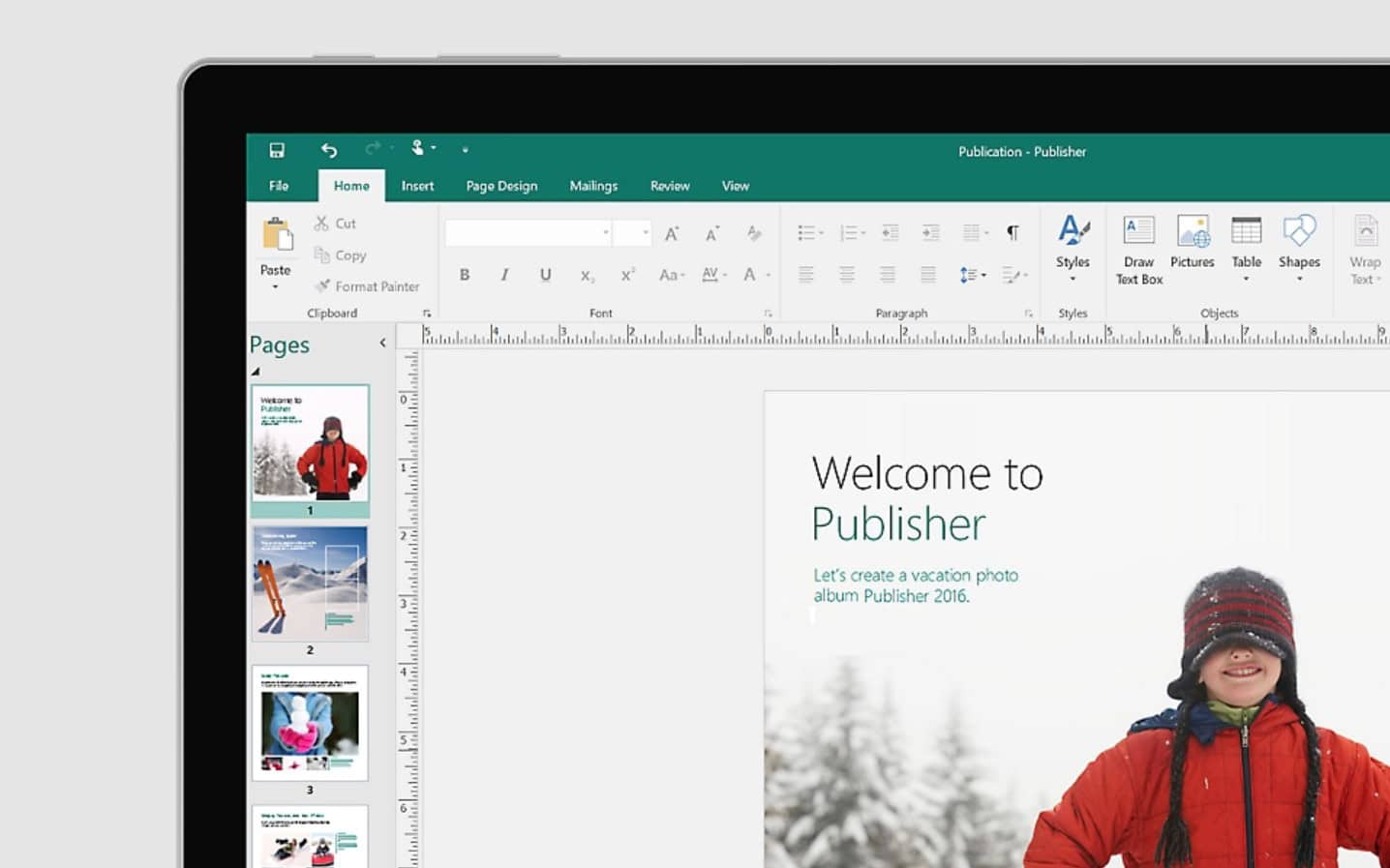
For more than three decades, Microsoft Publisher has helped organisations create newsletters, brochures, flyers, business cards, catalogues and other marketing materials without requiring professional design software.
However, Microsoft has announced that Publisher will reach end of life in October 2026, marking the end of an application that has been part of the Microsoft ecosystem since the early 1990s.
If your organisation still uses Publisher, now is the time to understand what is changing, how it could affect your business, and the steps you should take to prepare.
What Is Happening to Microsoft Publisher?
Microsoft has confirmed that Publisher will no longer be supported after October 2026. From 1 October 2026, Publisher will no longer be included in Microsoft 365 subscriptions, meaning subscribers will no longer be able to open or edit Publisher files using the application.
In addition, support for perpetual versions of Publisher will end in October 2026 alongside Office LTSC 2021 and Office 2021. While these versions may continue to function, they will no longer receive security updates, bug fixes or technical support from Microsoft.
Why Is Publisher End Of Life?
Microsoft’s decision reflects a broader strategy to consolidate functionality across Microsoft 365. Many of the publishing and design capabilities that once required Publisher are now available within Word, PowerPoint and Microsoft Designer.
For organisations that have relied on Publisher for years, the biggest concern is not creating new documents. It is managing existing libraries of .PUB files and ensuring important content remains accessible after the retirement date.
A Brief History Of Microsoft Publisher
Microsoft Publisher was first introduced in 1991 as a desktop publishing application designed for businesses and individuals that needed professional-looking printed materials without the complexity of specialist software.
Unlike Word – which focused primarily on text documents – Publisher gave users greater control over page layouts, graphics and positioning. This made it popular among small businesses, schools, charities and marketing teams producing newsletters, brochures, event programmes and promotional materials.
Throughout the 1990s and 2000s, Publisher became a familiar part of Microsoft Office Professional editions. It filled the gap between simple word processing and professional design tools such as Adobe InDesign.
While many organisations eventually moved towards cloud-based design platforms and modern collaboration tools, Publisher remained a dependable solution for thousands of businesses with established templates and document libraries. Its retirement represents the end of one of Microsoft’s longest-running desktop publishing applications.
How Will Publisher End Of Life Affect Your Organisation?
The impact will vary depending on how extensively Publisher is used within your business.
If Publisher is only used occasionally, transitioning to alternative applications will likely be straightforward. However, organisations with large archives of .PUB files may face more significant challenges.
Potential issues include:
- Inability to open or edit .PUB files through Microsoft 365 after October 2026.
- Loss of access to historical marketing collateral stored solely in Publisher format.
- Difficulties updating existing templates and branded materials.
- Compliance or record-keeping risks if important documents cannot be accessed when required.
- Additional effort to recreate documents in supported applications.
Many organisations are unaware of how many Publisher files exist across shared drives, SharePoint sites, OneDrive libraries and local devices. The first step is often simply identifying where Publisher files are being used.
Preparing Before October 2026
The good news is that Microsoft’s retirement date has been announced well in advance, giving organisations time to prepare.
1. Audit Existing Publisher Files
Start by locating all .PUB files across your organisation. This includes:
- Shared network drives
- SharePoint document libraries
- OneDrive folders
- Marketing asset repositories
- Local PCs and laptops
Understanding the scale of your Publisher dependency will help prioritise migration efforts.
2. Categorise Documents
Not every Publisher file needs to remain editable. Separate files into:
- Historical documents that only need to be viewed
- Active templates that require future editing
- Critical branding assets and marketing materials
This will help determine the most appropriate migration path.
3. Convert Files to PDF
Microsoft recommends converting Publisher files to PDF if they only need to be viewed or archived. PDFs maintain visual fidelity and can be opened on virtually any device.
4. Convert Editable Content
Where future editing is required, Microsoft recommends converting Publisher files into formats that can be maintained within supported applications, such as Word. The conversion process may require some reformatting, particularly for complex layouts containing graphics and advanced design elements.
5. Rebuild Key Templates
Some organisations maintain newsletters, brochures, forms or catalogues that are regularly updated. Rather than relying on file conversion alone, it may be worth rebuilding these assets using modern Microsoft 365 applications.
This creates cleaner, more sustainable templates and reduces future compatibility concerns.
What Are The Microsoft Alternatives To Publisher
In contrast to when Publisher first launched, the market for easy-to-use design tools is now extensive. But the demise of Publisher doesn’t mean you need to go elsewhere.
Microsoft has highlighted that many of the tasks historically performed in Publisher are already supported across Word, PowerPoint and Designer.
The right choice depends on the types of documents your organisation creates:
| Publisher Use Case | Recommended Alternative | Why It Works |
| Flyers and brochures | Microsoft Word | Strong document formatting and easy editing |
| Marketing materials | Microsoft PowerPoint | Flexible page layouts and visual design capabilities |
| Business cards | Microsoft Word | Templates and precise print formatting |
| Newsletters | Microsoft Word | Better collaboration and document management |
| Labels and envelopes | Microsoft Word | Built-in mail merge and print tools |
| Calendars | Microsoft Word or PowerPoint | Template-driven creation and customisation |
| Posters and banners | Microsoft PowerPoint | Large-format design flexibility |
| Social graphics and visual content | Microsoft Designer | Modern AI-powered design creation |
| Branded templates | Word, PowerPoint or Designer | Easier sharing and ongoing maintenance |
Don’t Leave Migration Until the Last Minute
October 2026 may feel distant, but organisations with years of accumulated Publisher content should start planning now.
The biggest risk is not losing the ability to create new documents. It is discovering too late that critical business information, branded templates or archived materials exist only in a format that is no longer supported.
By auditing your files, converting important documents and adopting modern Microsoft 365 alternatives, you can ensure a smooth transition well before Publisher reaches end of life.
For most organisations, this change also presents an opportunity to modernise document management, improve collaboration and standardise on applications that will continue to receive feature enhancements, security updates and long-term support across the Microsoft ecosystem.
Contact Us