Adding another application is often the easiest response to a technology problem. A department has a requirement, someone finds a tool that meets it and the business moves on.
There’s nothing inherently wrong with that approach. Construction businesses need specialist technologies.
The problem is what the technology environment can look like after several years of making those decisions independently. Systems overlap. Information becomes fragmented. Spreadsheets connect processes. Employees develop workarounds. New applications fix individual problems while making the overall construction technology estate more complicated.
At that point, buying another system may not be the answer at all.
Some construction companies need to connect what they already have. Others genuinely need to modernise applications that are holding them back. Others have perfectly serviceable technology but inefficient processes that could be automated or improved through AI.
And whatever the answer, one consideration needs to run through every construction technology strategy the business makes: protection.
Step 1: Connect What Already Works
An application doesn’t become a bad application because it doesn’t do everything.
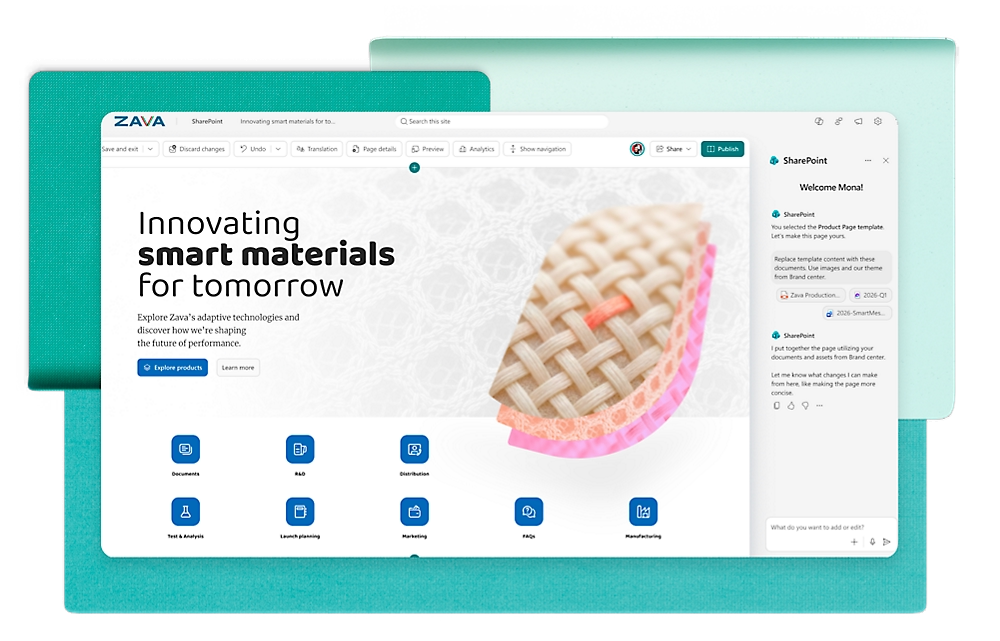
A specialist construction system might perform its specific function extremely well. The finance platform may be perfectly capable of supporting finance. SharePoint might be an effective home for documents and business information.
Problems arise when each platform becomes an island. Employees re-enter information. Data gets exported and manipulated in Excel. Management reports combine information from multiple sources manually. Different parts of the organisation maintain their own versions of apparently identical data.
Before considering replacement, ask:
Are the underlying systems actually failing the business, or do they simply need to work together more effectively?
If the individual applications remain fit for purpose, integration may deliver much of the required improvement without the cost and disruption associated with replacing them.
Microsoft Power Platform, APIs and other integration technologies can potentially allow information and workflows to move between platforms.
In that situation, the strategic priority is Connect.
Step 2: Modernise What Is Holding The Business Back
But there comes a point where integration stops being the sensible answer. Connecting more technology around an unsuitable legacy system can simply preserve the underlying problem.
This happens when an application itself starts restricting how the organisation operates. Perhaps reporting capabilities are inadequate. Processes rely heavily on workarounds. Integration options are limited. Remote or site-based users struggle to access what they need. Maintaining the platform consumes increasing amounts of time.
Or perhaps the business has simply outgrown technology originally introduced for a much smaller organisation. That’s when the question needs to change.
Instead of:
How can we make this system work with everything else?
ask:
Should this still be one of our core systems?
Modern, cloud-based platforms including Microsoft Dynamics 365, Microsoft 365 and Power Platform create other possibilities, but product selection should come after the business has properly defined the problem.
In this situation, the strategic priority becomes Modernise.
Step 3: Automate Repetitive Processes
Sometimes the systems aren’t really the problem. The process is.
Employees could be using perfectly capable applications but still manually sending approvals, chasing updates, copying information between places and repeatedly completing predictable administrative tasks.
If the rules governing that process are consistent, automation may provide the answer.
Microsoft Power Automate can support workflows both within the Microsoft ecosystem and, depending on the circumstances, across connected services. Examples might include approvals, notifications, document routing, information collection and recurring administrative activities.
The principle is straightforward: If people repeatedly follow the same rules to complete the same type of process, ask whether construction technology could handle more of those steps.
That doesn’t require AI. Sometimes straightforward automation is both more reliable and easier to govern.
Step 4: Apply AI Where Information Is The Challenge
AI offers a different type of opportunity.
Traditional automation excels where rules can be clearly defined.
AI becomes more interesting where people are working with substantial amounts of information.
That could mean finding relevant project information, summarising meetings and documents, accessing organisational knowledge, supporting tender processes or helping employees make better use of business information.
The distinction is useful:
Automate when the process is predictable. Apply AI when working with information is the challenge.
Microsoft Copilot and other Microsoft AI capabilities can create valuable opportunities here, but the underlying information environment still matters.
Permissions matter. Governance matters. Data quality matters.
AI doesn’t remove the requirement to manage information properly. If anything, it makes that foundation more important.
Step 5: Don’t Forget To Protect
Connecting systems creates better information flows. Cloud modernisation makes information more accessible. Automation enables more processes to happen without manual intervention. AI can make organisational information easier to interrogate.
All of that creates value. But it also makes security an integral part of construction technology strategy. Companies hold commercially sensitive project data, financial information, employee information and potentially significant amounts of client data.
Employees may be working from offices, homes and project sites. Third parties and subcontractors sometimes need controlled access. Users routinely need information on different devices and networks.
Security therefore cannot be something added at the end of a modernisation project. It needs to be designed into it. That includes areas such as:
- Identity and access management
- Multi-factor authentication
- Conditional Access
- Device security
- Appropriate information permissions
- External user access
- Backup and recovery
- Security monitoring
- Incident response
Cyber Essentials and Cyber Essentials Plus may also be relevant to construction businesses facing increasing security requirements within customer and supply-chain relationships.
The objective isn’t to make security the reason not to modernise.
Quite the opposite.
Modernise and protect together.
When SharePoint is used to improve collaboration, permissions should be part of the design.
When systems are connected, access to data needs appropriate controls.
When AI is introduced, organisations need a clear understanding of the information individual users and AI-enabled technologies are authorised to access.
Protection shouldn’t slow the strategy down. It should make the strategy sustainable.
Construction Technology Strategy: Connect, Modernise, Automate Or Apply AI?
Technology strategy can very quickly become complicated.
A relatively simple framework can help leadership teams keep the discussion focused on the reason technology needs to change.
The systems work but information doesn’t flow effectively: CONNECT
The system itself is restricting the business: MODERNISE
The systems work but the process is repetitive and predictable: AUTOMATE
The process involves significant information and human interpretation: APPLY AI
And underneath all four:
PROTECT the people, information and systems the business increasingly depends upon.
The categories aren’t mutually exclusive.
A construction company could need to modernise one core platform, integrate two others, automate several processes and introduce AI into one information-heavy workflow.
The point is to make each decision deliberately rather than treating “digital transformation” as one enormous technology project.
Don’t Solve Technology Problems In Isolation
This becomes particularly important as construction businesses grow.
A decision made for one department can easily create a problem elsewhere.
Before introducing new technology, leadership should consider the wider environment:
- Where will the information come from?
- Which other systems need it?
- What Microsoft investments already exist?
- Who needs access?
- What happens to existing processes?
- What are the security implications?
- Could existing technology solve the requirement?
- Will the solution continue to work if the business grows?
It is also worth planning for organisational change.
What happens if the contractor opens another location? Wins substantially larger projects? Acquires another business? Adds another service line?
An environment that only works at today’s scale may simply defer the technology problem.
Build Around The Construction Business You’re Becoming
Ultimately, the best construction technology strategies aren’t really technology strategies.
They’re business strategies supported by appropriately selected technology.
That means understanding where the organisation is heading, identifying the technology and process constraints that might prevent it getting there, and then making deliberate decisions about what to connect, what to modernise and where automation or AI can add value.
Throughout that change, the organisation also needs to protect the growing amount of people, information and technology on which it depends.
Connect. Modernise. Apply AI. Protect.
Akita’s IT consultancy for construction companies can help establish where the priorities sit.
That could mean connecting existing applications, modernising a platform the business has outgrown, automating inefficient processes, identifying practical AI opportunities or strengthening security around a changing technology environment.
The objective isn’t to add more technology. It’s to build the right technology environment for the construction business you’re becoming.