For many organisations, SharePoint has been part of the technology landscape for years. In that time, sites have been created, adapted, replaced and sometimes simply left running because they still do the job.
Microsoft has now put a timetable around one of the biggest changes to that legacy estate.
From 1 March 2027, organisations will no longer be able to create new classic publishing sites or activate classic publishing features. Then, from 1 October 2028, affected classic user-created pages will become read-only. Existing content won’t disappear, but organisations will no longer be able to create or edit these pages.
For business leaders, however, the important message isn’t simply that classic SharePoint is reaching the end of its useful life.
It’s that there is now a compelling reason to look again at what SharePoint is doing for the organisation and ask a much bigger question:
If we’re going to modernise SharePoint, what else could we improve at the same time?
The Problem With SharePoint Estates That Have Grown Over Time
SharePoint is rarely implemented once and then left unchanged. An intranet created several years ago may now sit alongside departmental sites, document libraries, project areas, employee resources and business processes introduced at completely different times.
The result can be an environment that works, but no longer works particularly well.
Employees may struggle to find information. Documents can be spread between SharePoint, Teams, OneDrive and local storage. Permissions may have become unnecessarily complicated. Some sites may no longer have clear owners, while others still support processes the business has since replaced.
Classic SharePoint can be part of that picture.
The forthcoming changes create a natural point to understand what remains in use and where it sits within the wider SharePoint estate. But that exercise shouldn’t stop at identifying what needs to be migrated.
It creates an opportunity to reassess the environment on the basis of business value, usage and future requirements.
Don’t Just Migrate Your Old SharePoint. Improve It.
The easiest response to an end-of-life announcement is to ask: How do we move what we have? A better question is: What should SharePoint look like for our organisation today?
There is little value in spending time and money recreating an outdated intranet or poorly structured document environment within newer technology.
Instead, the transition provides an opportunity to review how employees actually use SharePoint and where a modern environment could deliver greater value.
That could mean improving the structure and navigation of an intranet so employees can reach important information more quickly. It could involve bringing fragmented departmental content together, improving document management or establishing clearer governance around ownership, permissions and information lifecycle.
It can also mean making SharePoint do more.
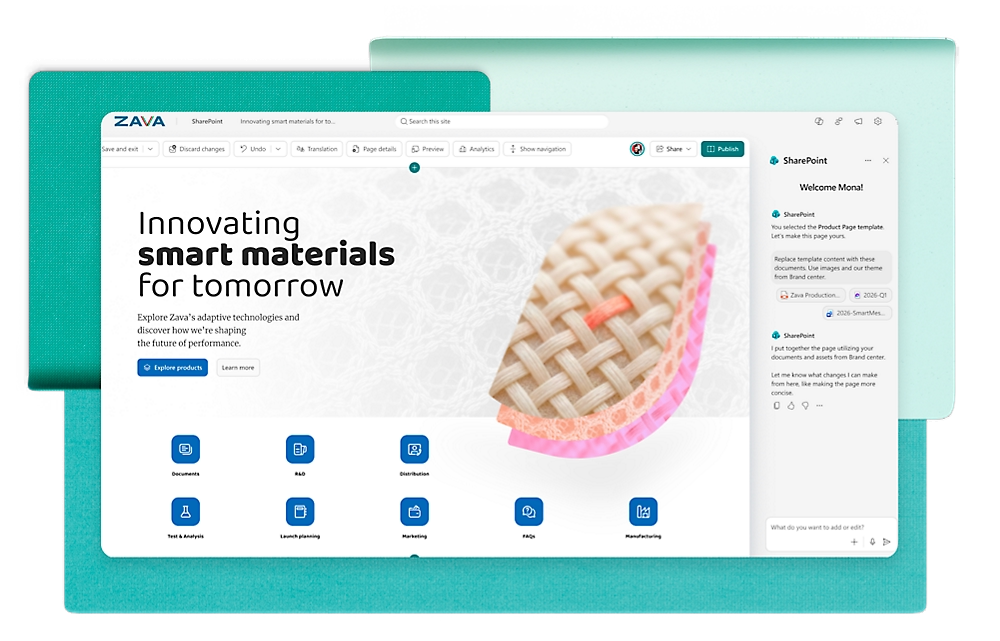
Modern SharePoint can sit at the centre of a broader Microsoft 365 environment, working alongside Teams, Power Automate, Power Apps and other Microsoft technologies to support processes that previously relied on email, spreadsheets or manual administration.
Rather than simply replacing a classic HR page, for example, an organisation might create a modern employee hub bringing together policies, forms, announcements and automated requests. A departmental document library might become a properly structured document management environment. A manual request process could be rebuilt using SharePoint and Power Automate.
The objective shouldn’t therefore be classic SharePoint versus modern SharePoint.
It should be old ways of working versus better ones.
Start By Understanding What You Actually Have
There is still time before the most significant restrictions take effect, which is precisely why organisations should start looking at their environments now.
The first step should be understanding the current SharePoint estate: where classic experiences remain, how extensively they’re being used and which sites or processes are genuinely important to the business.
That assessment can then form the basis of a wider SharePoint review.
Businesses should consider:
- What is still being used? Identify important sites, pages, documents and business processes rather than assuming everything needs to migrate.
- What is no longer required? Years of SharePoint use can leave behind redundant sites and content. Modernisation is an opportunity to clean house.
- What isn’t working well? Look at search, navigation, accessibility, permissions, document management and employee experience.
- What processes could be improved? Consider where SharePoint could work with Power Platform and Microsoft 365 to replace manual administration.
- What will the business need next? Design around future collaboration, information management, governance and AI requirements rather than recreating yesterday’s environment.
The result is a much stronger business case than simply: “Microsoft says we need to migrate.”
There Is No Need For A Big-Bang Migration
For larger SharePoint environments, modernisation does not need to happen everywhere simultaneously.
A heavily used intranet homepage deserves considerably more attention than an abandoned departmental wiki. Similarly, a customised SharePoint solution supporting a critical process shouldn’t be treated in the same way as a collection of old information pages.
A sensible programme can therefore separate the estate into three broad groups: content that can be retired, content that can be modernised relatively easily, and important environments that provide an opportunity to redesign and improve.
This also makes modernisation easier to align with budget and resources. High-value or higher-risk areas can be addressed first, while less important sites can follow as part of a phased roadmap.
Starting early gives organisations the freedom to make these decisions properly rather than carrying out a rushed migration as the deadlines approach.
Modern SharePoint Can Deliver Considerably More
The retirement of classic SharePoint may provide the trigger for change, but it shouldn’t define the ambition of the project.
For organisations that have been using SharePoint for many years, the capabilities available across Microsoft 365 have changed substantially. SharePoint can now form part of a much broader digital workplace combining content, collaboration, automation, applications and increasingly AI.
That means a SharePoint modernisation programme can potentially address several objectives at once: a more effective intranet, stronger document management, better governance, easier access to business knowledge, automated processes and closer integration with the rest of Microsoft 365.
It can also create a stronger foundation for technologies such as Microsoft 365 Copilot. AI is only as useful as the information it can access, so information architecture, permissions, governance and content quality become increasingly important as organisations explore greater use of AI across Microsoft 365.
Businesses already investing in Microsoft technology should therefore view the classic SharePoint deadlines as a useful point to stop and assess whether they are getting enough value from the platform.
Don’t Wait Until 2028 To Start The Conversation
October 2028 might feel distant. But organisations with large or heavily customised SharePoint estates shouldn’t interpret that as a reason to wait.
The first restrictions arrive in March 2027, making now the right time to establish the scale of the issue and determine what should happen next.
The organisations that start early can approach the change strategically: identifying what’s worth keeping, removing what isn’t, progressively modernising important areas and using the investment to address wider problems with information, collaboration and business processes.
Those that leave it late risk turning an opportunity for improvement into another technology migration deadline.
Is It Time To Review Your SharePoint Environment?
If your SharePoint environment has grown organically over the years, Microsoft’s changes provide a timely reason to review what you have and what you need from the platform in the future.
Akita can help assess your existing SharePoint estate, identify where modernisation is required and develop a practical roadmap for improvement.
More importantly, the conversation doesn’t have to stop at migrating classic pages. From modern intranets and document management to Microsoft 365 integration, Power Platform automation, information governance and readiness for AI, we can help turn the retirement of classic SharePoint into an opportunity to create a more capable and valuable platform for your business.
Don’t simply replace the SharePoint you have today. Talk to Akita about what it could become:
Contact Us