In 2026 SharePoint turns 25. First released in 2001, few could have predicted its longevity.
Originally positioned as a document management and intranet tool, it has quietly evolved into one of the most strategically important platforms in the modern Microsoft ecosystem.
SharePoint at 25 remains a core component of how organisations collaborate, manage information, and build secure digital workplaces.
Far from being legacy technology, SharePoint has adapted alongside changes in cloud computing, hybrid working, compliance, and now artificial intelligence. Its relevance today is arguably greater than at any point in its history.
The Early Years: From Document Storage To Collaboration
SharePoint was introduced by Microsoft at a time when most organisations relied heavily on shared network drives, email attachments, and disconnected file servers. Knowledge was difficult to manage, version control was inconsistent, and information silos were the norm.
Early versions of SharePoint focused on three core problems:
- Centralising documents
• Enabling basic collaboration
• Providing internal web portals
Even in its infancy, SharePoint introduced concepts that were ahead of their time: permissions-based access, metadata, and structured content libraries. For IT teams, it offered a more controlled alternative to unmanaged file shares. For users, it reduced the friction of collaboration.
As SharePoint matured through the 2000s, it expanded into workflows, team sites, records management, and integration with Microsoft Office.
By the time SharePoint 2010 arrived, it was no longer just a document repository; it was a platform capable of supporting business processes.
The Shift To The Cloud And SharePoint Online
The most significant turning point in SharePoint’s history came with the rise of cloud computing. As Microsoft transitioned its productivity tools into Microsoft 365, SharePoint evolved again.
SharePoint Online moved the platform away from heavy on-premises infrastructure and into a continuously updated cloud service. This shift delivered several strategic benefits:
- Reduced infrastructure and maintenance overhead
- Faster access to new features
- Native integration with Teams, OneDrive, and Power Platform
- Improved security and compliance tooling
Crucially, SharePoint Online aligned with how organisations actually work today: distributed teams, flexible access, and collaboration beyond the traditional office boundary.
Rather than being replaced by newer tools, SharePoint became the foundation beneath them. Teams channels store files in SharePoint. OneDrive is built on SharePoint architecture. Even Power Automate workflows frequently rely on SharePoint lists and libraries as their data layer.
Modern SharePoint is less visible, but more embedded than ever.
What Sharepoint Is Used For Today
Today’s SharePoint is best understood as a secure content and knowledge platform rather than a single application. Organisations use it in a variety of practical, business-critical ways.
Intranets and internal communications
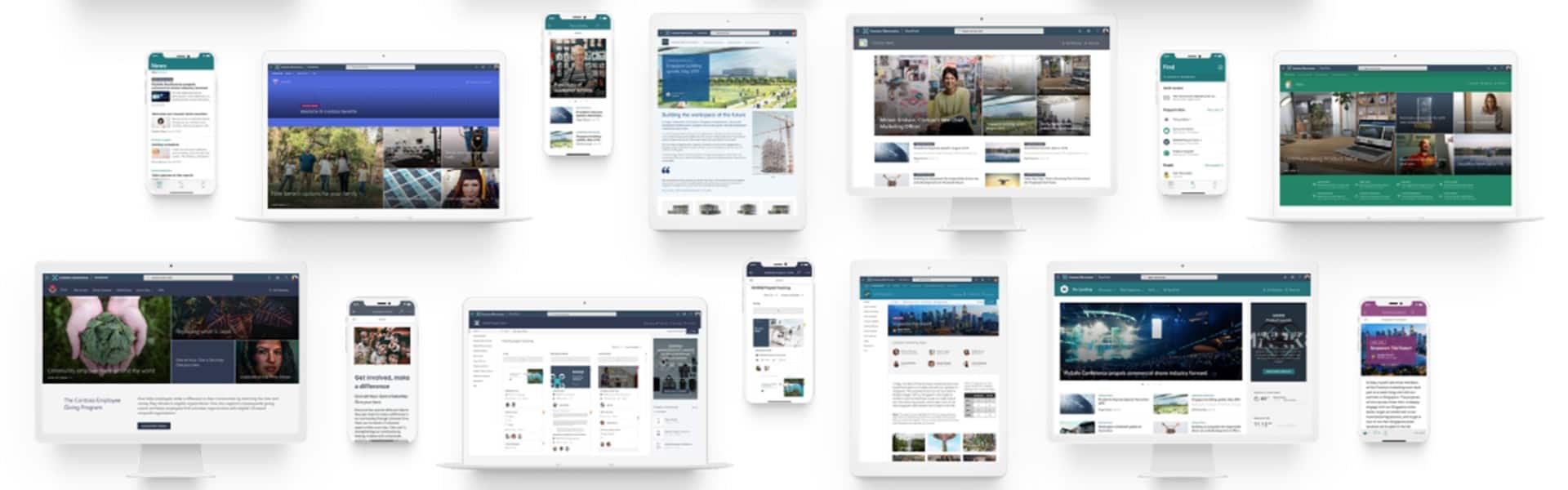
SharePoint remains one of the most effective tools for building modern intranets. Organisations use it to centralise internal communications, policies, news, and resources in a way that is structured, searchable, and secure.
Unlike static intranets of the past, modern SharePoint intranets are dynamic. Content can be targeted by role, department, or location, ensuring relevance without duplication. Integration with Microsoft 365 means updates surface naturally in users’ daily workflows rather than sitting unused behind a homepage.
Document management and control
At its core, SharePoint still excels at document management. Version control, audit trails, permissions, retention policies, and metadata enable organisations to manage documents in line with regulatory and operational requirements.
For sectors where compliance, governance, and data security matter, SharePoint provides structure without sacrificing usability. It reduces reliance on email attachments and unmanaged storage while improving visibility and accountability.
Collaboration across teams and departments
SharePoint underpins collaboration across Microsoft 365. Team sites support project delivery, departmental collaboration, and cross-functional working. Files are co-authored in real time, conversations are contextual, and information remains accessible beyond the lifespan of individual projects.
This is particularly important for organisations managing change, growth, or complex operations where knowledge continuity matters.
Business processes and lightweight applications
SharePoint lists, combined with Power Automate and Power Apps, allow organisations to digitise everyday processes without heavy development overhead. Common use cases include:
- Asset registers
- Onboarding workflows
- Incident and request tracking
- Approval processes
These solutions reduce reliance on spreadsheets and email chains, improve data quality, and give IT teams greater oversight without introducing unnecessary complexity.
Security, governance, and compliance
Modern SharePoint integrates deeply with Microsoft’s security and compliance framework. Sensitivity labels, data loss prevention, retention policies, and audit logging all help organisations manage risk.
Importantly, this governance is applied consistently across Microsoft 365, allowing SharePoint to operate as a trusted system of record rather than an unmanaged content store.
Why SharePoint Matters Even More In The Age Of AI
The rise of AI in the workplace has reframed how organisations think about their data.
Tools like Microsoft Copilot rely entirely on access to structured, secure, and well-governed information.
This is where SharePoint becomes critical.
Copilot does not generate value in isolation. It surfaces insights, drafts content, and answers questions based on the information an organisation already owns. If documents are scattered, poorly structured, or insecure, Copilot’s effectiveness is limited.
SharePoint provides the foundation Copilot needs to succeed.
Structured content enables meaningful AI output
SharePoint’s use of metadata, permissions, and content types allows Copilot to understand context. It knows which documents are authoritative, who should see them, and how they relate to each other.
This means Copilot can:
- Summarise policies accurately
- Draft content based on approved materials
- Answer questions using trusted internal sources
- Respect security boundaries automatically
Without SharePoint, organisations risk AI tools surfacing outdated, duplicated, or inappropriate information.
Security and permissions remain intact
One of the most common concerns around AI adoption is data exposure. SharePoint’s permissions model ensures Copilot only accesses what a user is entitled to see. AI does not bypass governance; it inherits it.
For organisations in regulated sectors, this is essential. It allows innovation without increasing risk.
Knowledge becomes a strategic asset
As Copilot becomes embedded across Microsoft 365, the quality of organisational knowledge directly affects productivity. SharePoint transforms information from static files into a strategic asset that AI can actively use.
Organisations that invest in SharePoint structure, governance, and adoption are effectively preparing their data for AI-driven productivity gains.
Why SharePoint At 25 Still Earned Its Place In The Modern IT Strategy
At 25, SharePoint’s relevance is not rooted in nostalgia. It endures because it has continuously adapted to how organisations work, communicate, and manage risk.
It is not a flashy tool, but it is foundational. It supports collaboration without chaos, governance without friction, and now AI without compromise.
For organisations navigating hybrid work, compliance pressures, and the adoption of Copilot, SharePoint is not optional infrastructure. It is the backbone that makes everything else work properly.
The organisations that extract the most value from Microsoft 365 are rarely those chasing the newest feature. They are the ones that invest in the fundamentals: structure, governance, and adoption. SharePoint sits at the centre of all three.
As the next phase of workplace technology unfolds, SharePoint’s quiet evolution may prove to be its greatest strength.
Akita is an expert developer of Microsoft technologies. How ever you’re looking to utilise SharePoint, our experts will be able to help:
Contact Us