Modern organisations generate vast amounts of valuable data: from sales to service stats to finance. But to maximise business efficiency, organisations have to have a way of reporting on and understanding that data.
When it comes to this within the Microsoft suite, two solutions are most prevalent. Excel – Microsoft’s spreadsheet application – is familiar, flexible, and great for day-to-day number crunching. Power BI – its data visualisation tool – however, is purpose-built for visual reporting, automation, and turning real data into quick, confident decisions.
For SMBs, the shift from spreadsheets to a modern analytics platform can unlock time, clarity, and smarter planning. Below is a more conversational breakdown of the key advantages of Power BI vs Excel, positioned for business owners who want clearer insight without needing technical expertise.
Understanding Why Power BI Is Different
Most leaders start with Excel because it’s a natural choice. It works for budgets, forecasting, lists, and simple analysis. But as a business grows, so does its data. Reports take longer to prepare. Files get bigger. Mistakes creep in. And getting a complete picture of performance becomes harder.
Power BI steps in at this point. It automates reporting, brings data together from multiple systems, and presents insights in clear, visual dashboards that anyone can understand. For an SMB, this means fewer hours spent preparing reports and more time acting on them.
Why Businesses Move Past Spreadsheets
The key reason most companies consider Power BI is to remove the manual strain that Excel naturally carries. Spreadsheets require downloading data, copying figures, checking formulas, updating charts, and circulating the latest version. It’s routine work, but it adds up.
Power BI connects directly to your systems—finance, CRM, operations software, cloud services—and refreshes automatically. You don’t prepare reports anymore; you simply open them. This alone can save hours every week, freeing teams to focus on value rather than admin.
Advantages Of Power BI Vs Excel
This is where the keyphrase goes as a natural part of the structure:
Clearer visibility for faster decisions
Excel can be formatted well, but it’s still fundamentally a grid of numbers. It takes effort to interpret, especially if you’re busy or not deeply involved in the technicalities.
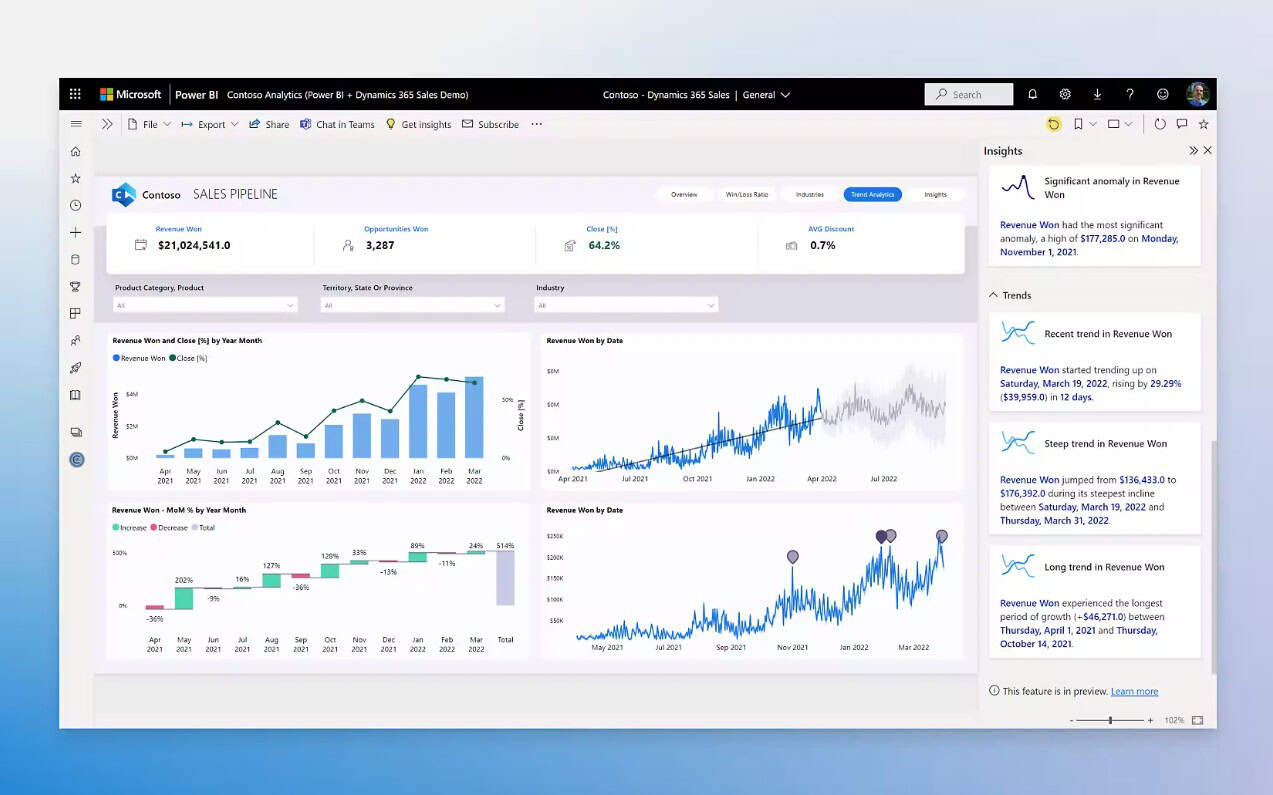
Power BI transforms data into interactive visual dashboards. Think charts, KPIs, maps, and trend lines that show instantly what’s going well and what needs attention. Whether it’s sales performance, cashflow movement, or operational activity, you see it in a way that makes sense at a glance.
This clarity matters. It supports quicker decisions, better communication across teams, and a stronger culture of data-driven thinking.
Scales effortlessly as your data grows
Excel is reliable, but it’s not designed for heavy datasets. Large files slow down, formulas break, and analysis becomes time-consuming.
Power BI handles substantial volumes of information without compromising performance. You can dig deeper into data, explore trends, and analyse multiple years’ worth of activity, all without waiting for spreadsheets to load. This gives SMBs analytical power that once only big enterprises could afford.
Designed for collaboration
Emailing spreadsheets back and forth leads to version confusion—often without anyone realising it. Teams end up referencing different numbers, and discussions become complicated.
Power BI eliminates this. Everyone views the same report in real time, securely accessed in the cloud. Permissions ensure the right people see the right data, and updates happen automatically. This creates a consistent, reliable reporting environment across the entire business.
Bringing all your data together
One of the most powerful benefits of Power BI is the ability to combine information from multiple sources without manual effort. Excel can do this, but it relies on formulas, macros, or complicated data manipulation.
Power BI integrates with nearly any business system—ERP, CRM, HR, finance, operations, stock management, and more. Bringing all this into one place reveals connections that might otherwise stay hidden. For example:
- Marketing spend correlates with sales pipeline changes
- Operational delays align with customer satisfaction dips
- Stock shortages are influencing delivery performance
These insights help leaders take action earlier and with greater accuracy.
Smarter forecasting and trend analysis
Excel supports forecasting, but it requires setup and ongoing manual maintenance. Power BI includes built-in analytics that highlight trends automatically, giving SMBs a simple way to:
- Predict customer demand
- Spot early signs of stress across operations
- Understand seasonal patterns
- Model potential outcomes before committing to a decision
For business owners planning growth or managing risk, this level of forward-looking insight is invaluable.
Enhanced security and control
Spreadsheets can be copied, emailed, or edited without oversight. Power BI sits within Microsoft’s secure cloud ecosystem and offers structured access controls and auditing. Sensitive data is protected, and business ownership of reporting becomes much clearer.
Consistent, standardised reporting
One of Excel’s biggest weaknesses is inconsistency. Two people can build the same report in very different ways, leading to conflicting outputs.
Power BI standardises this. Dashboards are built once and become the single version of truth for the business. This drives accuracy, consistency, and confidence at every level—from front-line managers to senior leaders.
A Platform That Grows With Your Business
SMBs often start small: a basic sales dashboard, a financial overview, or a simple operational performance view. As the business expands—new services, more staff, additional sites—Power BI evolves alongside it. There’s no need to rebuild spreadsheets or redesign reporting processes.
This flexibility supports long-term digital transformation and ensures reporting never becomes a barrier to progress.
The Real Advantages of Power BI vs Excel? Better Decisions, Made Sooner
Excel and Power BI both have their place. But when the goal is clearer insight, reduced admin, stronger collaboration, and faster decisions, Power BI gives business owners a more modern, efficient, and scalable approach.
Need a closer look at Microsoft Power BI? Reach out to Akita’s business applications consultants for more info: